
If you observe any efficiently operating team on-site, you’ll notice a familiar contradiction:
A team leader picks up their walkie-talkie, but before speaking, they raise it to their eyes, bring it close to their ear, turn a knob, and try to interpret the current channel status through indicator lights or voice prompts—a motion so practiced it’s almost muscle memory. Nevertheless, this very action reveals a widely accepted “inconvenience.”
This inconvenience we take for granted is precisely the core of the problem. After all, we live in a highly visual information age: your phone screen lights up for a message, your watch shows notifications with a glance, and even household appliances have displays showing their status. Consequently, we’re accustomed to “understanding key information at a glance.” However, on a screenless walkie-talkie, all critical information devolves into a “decoding game” requiring experience and guesswork.
- Channel Identification: Relies on memory of knob markings and interpreting specific colors or blinking patterns of an LED.
- Battery Management: Generally, you only get a blinking warning when the battery is nearly dead, with no indication if it’s “Full,” “Half,” or “Low.”
- Status Confirmation: For example, is it muted? Is the keypad locked? What’s the signal strength?
Therefore, the question “Does the team need a screen?” should be reframed. It’s not fundamentally about choosing a hardware feature, but rather about answering: Are we willing to upgrade team communication to an intuitive, inclusive, zero-barrier “common language”?
The Value of a Screen: From “Blind Operation” to “Precise Control”
Scenario 1: Large Event Coordination
A music festival requires coordination. The command center announces: “All teams, emergency, switch to backup channel 7 now!” What follows is chaos: some twist the knob past channel 7 to 8, others misremember the LED color and stay on channel 3. The dispatcher has no idea who is online or who has dropped off.
Scenario 2: Warehouse & Logistics Management
In a late-night distribution center, a worker can’t check the Licence-free walkie talkie’s battery, simply hoping it lasts the shift. Unexpectedly, the radio blinks red and powers down, leaving him briefly “out of contact.”
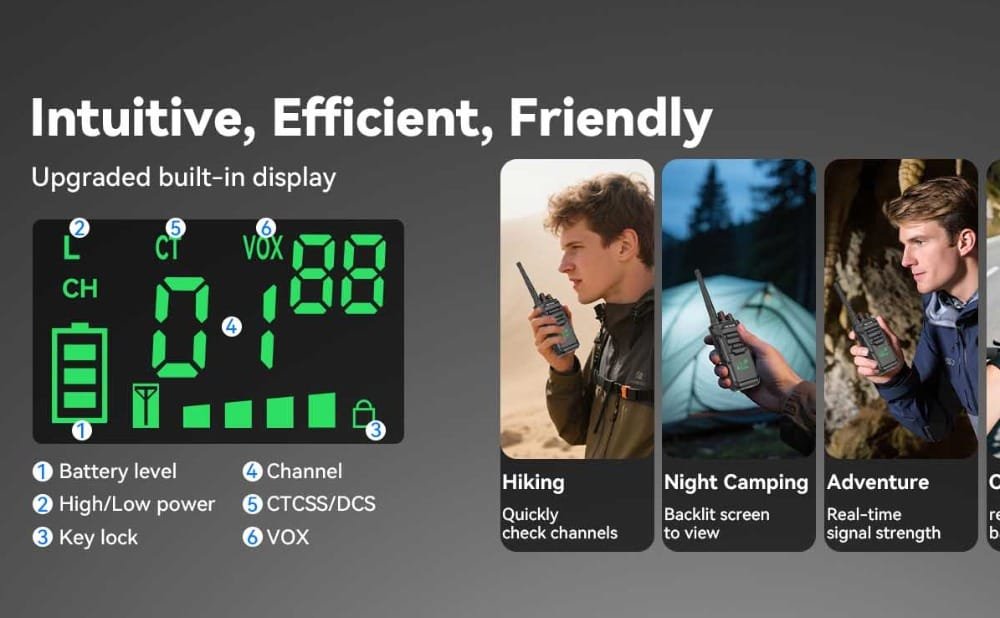
A professional display is the key tool to end this “decoding game.” Every team member switching channels sees “CH-07” clearly, reducing errors and delays. The screen constantly shows the exact battery status, allowing for planned recharging during breaks.
This is the core value of a screen: visualizing critical information to lower the barrier to operation, reduce error rates, and eliminate uncertainty in communication.
More Than “A Piece of Glass”: The Contextual Divide in Display Technology
| Feature | Built-In Display | LCD Color Screen |
| Design Philosophy | Built to conquer harsh environments. Priority: reliability and visibility above all. | Built for information density. Priority: rich visual data and user-friendly interaction. |
| Key Traits | • Sunlight-Readable • Rugged: Simple, robust construction. • Low Power Consumption: | • Information-Rich: Channel/Contact lists/Detailed battery. |
| Use Case | Outdoors & Demanding Industries: Such as, Construction, logistics, security, forestry. | Managed Indoor/Complex Operations: For example, Hotel management, mall security, event staffing, factory floors. |
| In a Nutshell | “Always visible, no matter what.” | “Do more, know more.” |
Back to Basics: Choosing for Your Team’s Reality
Setting aside technical specs, the choice boils down to one simple question: In what environment does your team operate daily, and what problems are they solving?
- Your team likely needs a screen if:
Work involves frequent channel changes (e.g., multi-group coordination)
Team members change often, requiring quick onboarding and status verification.
The work environment has complex lighting
Furthermore, Better battery management to reduce blind spots
- A screen-less FRS or licence-free walkie-talkie might suffice if:
Communication is extremely fixed
Ultimate device ruggedness and cost-effectiveness are the top priorities
Also, users are highly experienced and know the equipment inside out
It’s for short-duration, simple team activities
Conclusion: Empower Your Team with the Right Professional Tool
Equipping your team with professional walkie-talkies featuring a display is an investment in operational certainty:
Firstly, reduces time and material loss caused by communication errors.
Secondly, increases team response speed and collaboration efficiency.
Thirdly, lowers training costs for new members and the operational skill barrier.
If you’re considering upgrading your team’s communication gear, then we recommend exploring Retevis Professional Display Walkie-Talkies, as they’re designed for different scenarios and thus enable true high-efficiency communication.
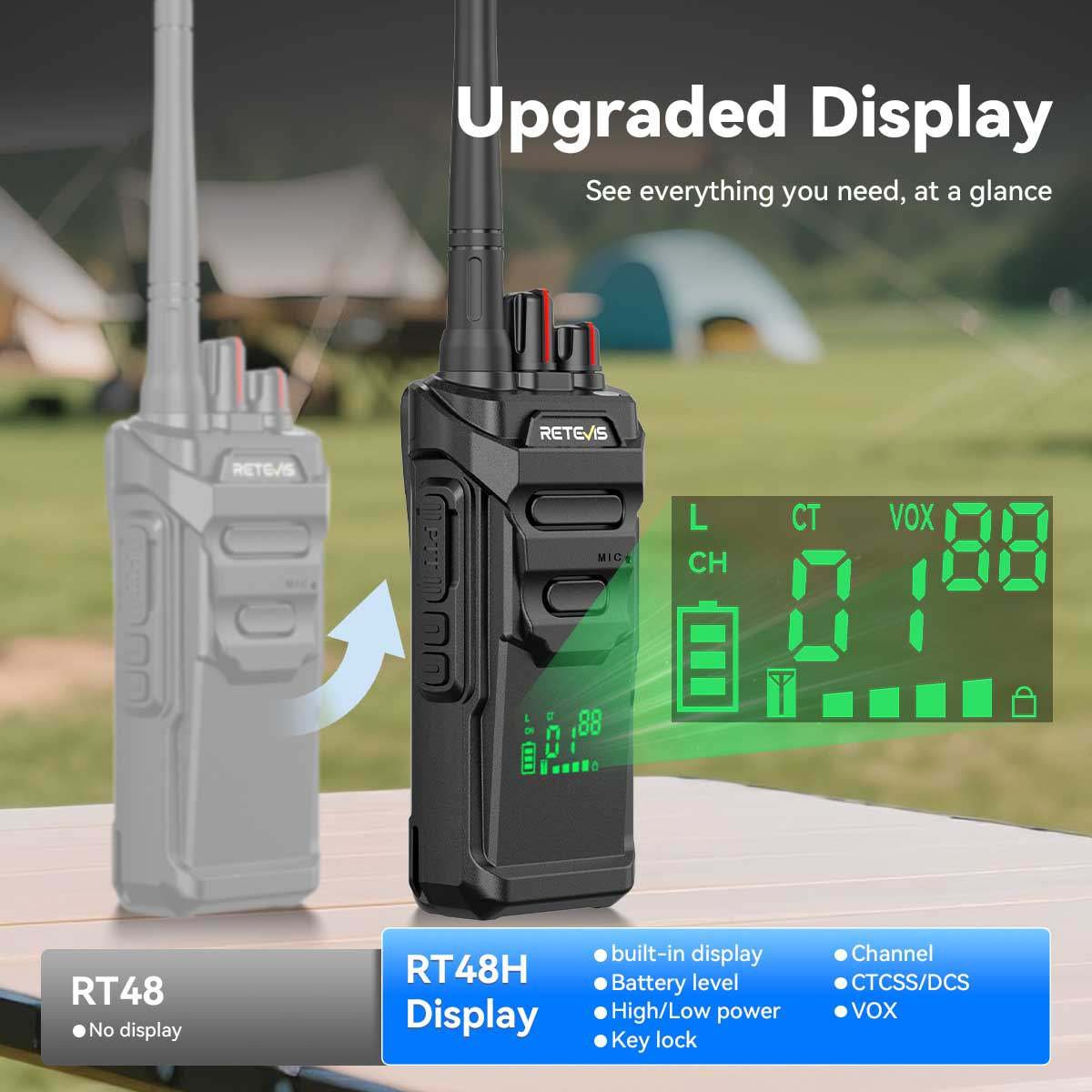
Built for Outdoors & Demanding Industry: Retevis built-in screen RT48H、RT21/RT21H radios are the reliable answer for battling glare, dust, and frequent impacts.
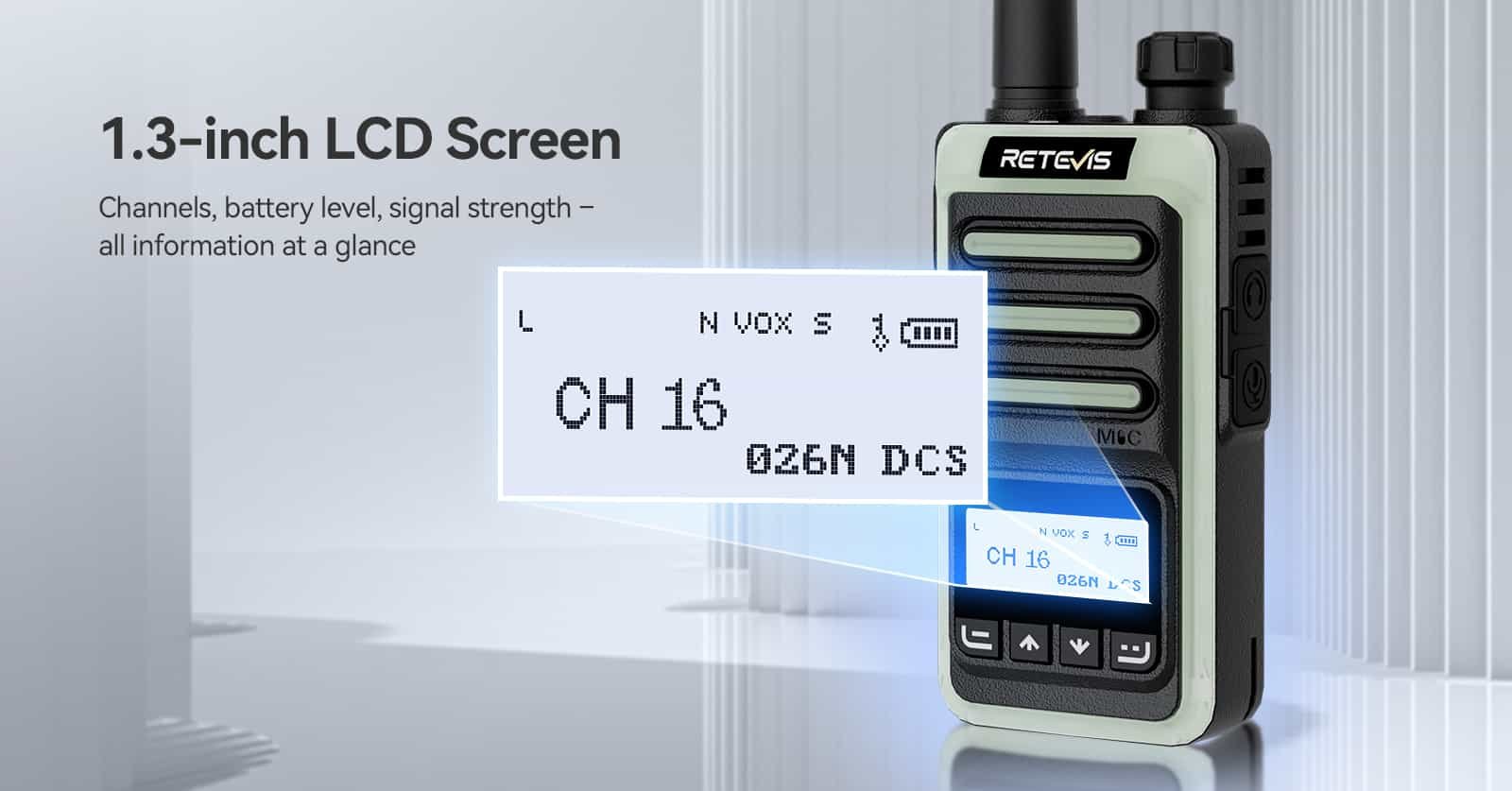
Empowering Indoor Coordination & Management: The Retevis RB66S represents another path. Its LCD color screen clearly shows rich information.
If you want to evaluate the most suitable visual communication solution for your team’s specific scenario and achieve higher efficiency, [click here] to get personalized scenario-based advice and product experience.
Views: 2